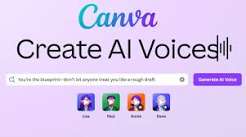
Artificial intelligence has revolutionized the way digital content is created, making professional-quality tools accessible to individuals, businesses, educators, and marketers. One of the most exciting developments in recent years is the rise of AI-powered voice generation technology. These tools allow users to convert written text into realistic speech without requiring expensive recording equipment or professional voice actors.
Among the many AI tools available today, the Canva AI Voice Generator has gained significant attention from content creators who want to produce high-quality voiceovers quickly and efficiently. Canva, already known for its user-friendly design platform, has expanded its capabilities by integrating artificial intelligence features that simplify content creation workflows.
Whether you’re creating social media videos, educational tutorials, marketing presentations, podcasts, or promotional content, Canva AI Voice Generator can help transform written scripts into natural-sounding audio. This functionality saves time, reduces production costs, and enables creators to produce engaging content at scale.
In this article, we’ll explore Canva AI Voice Generator in detail, including its features, benefits, use cases, limitations, and how it fits into the future of AI-powered content creation.
What Is Canva AI Voice Generator?
The Canva AI Voice Generator is an artificial intelligence-powered feature within the Canva ecosystem that converts text into spoken audio.
Instead of recording voiceovers manually, users can type or paste text into the platform and generate realistic voice narration automatically.
The technology uses advanced text-to-speech (TTS) models that mimic human speech patterns, pronunciation, pacing, and tone.
This makes it easier for creators to add professional voiceovers to videos, presentations, and other multimedia projects.
Why AI Voice Generation Is Becoming Popular
The demand for AI voice generation continues to grow due to several advantages.
Faster Content Production
Traditional voice recording often requires:
- Recording equipment
- Quiet environments
- Multiple retakes
- Audio editing
AI voice tools eliminate many of these requirements.
Cost Efficiency
Hiring professional voice actors can be expensive.
AI-generated narration offers a more affordable alternative for many projects.
Global Accessibility
Creators can generate audio content in multiple languages and accents.
Consistency
AI-generated voices maintain consistent quality across projects.
This is particularly useful for businesses producing large volumes of content.
Key Features of Canva AI Voice Generator
Text-to-Speech Conversion
The primary feature allows users to convert written text into spoken audio.
Simply enter a script and generate narration within minutes.
Multiple Voice Options
Users can typically choose from various voice styles and tones.
Options may include:
- Male voices
- Female voices
- Different accents
- Various speaking styles
Language Support
Many AI voice tools support multiple languages, helping creators reach international audiences.
Integration with Canva Projects
One major advantage is seamless integration with Canva’s design and video editing tools.
Users can create visuals and voiceovers within the same platform.
User-Friendly Interface
Canva is known for its intuitive design.
The voice generation feature follows the same easy-to-use approach.
How Canva AI Voice Generator Works
The process is straightforward.
Step 1: Create or Open a Project
Users begin by opening a Canva design or video project.
Step 2: Enter Text
The script is entered into the AI voice generation tool.
Step 3: Select a Voice
Users choose the preferred voice style and language.
Step 4: Generate Audio
The AI processes the text and creates spoken narration.
Step 5: Add to Project
The generated audio can be integrated directly into the content.
This streamlined workflow saves considerable production time.
Benefits of Canva AI Voice Generator
Time Savings
Voiceovers that might take hours to record manually can be generated in minutes.
Professional Sound Quality
Modern AI voices sound increasingly natural and polished.
Easy Content Updates
If a script changes, users can simply regenerate the voiceover rather than recording again.
Accessibility Improvements
Audio narration can make content more accessible for diverse audiences.
Simplified Workflow
Keeping design, video editing, and voice generation within one platform improves efficiency.
Popular Use Cases
Social Media Videos
Creators frequently use AI voiceovers for:
- TikTok videos
- Instagram Reels
- YouTube Shorts
- Facebook content
Educational Content
Teachers and trainers can add narration to lessons and tutorials.
Marketing Campaigns
Businesses use voiceovers for:
- Product demonstrations
- Promotional videos
- Advertising content
Presentations
Professional presentations become more engaging with narration.
YouTube Content
Many creators use AI-generated voices for informational and tutorial videos.
Canva AI Voice Generator for Businesses
Businesses increasingly rely on digital content to engage customers.
The Canva AI Voice Generator can support:
Brand Consistency
Consistent voiceovers help strengthen brand identity.
Faster Production
Marketing teams can produce content more quickly.
Cost Reduction
Businesses can reduce voiceover production expenses.
Multilingual Campaigns
Organizations can reach broader audiences through multiple language options.
Canva AI Voice Generator for Educators
Education is another area benefiting from AI voice technology.
Teachers can create:
- Online lessons
- Training modules
- Instructional videos
- Interactive presentations
Narrated content often improves student engagement and comprehension.
AI Voice Quality: How Realistic Is It?
Modern AI voices have improved significantly.
Advanced speech synthesis models can replicate:
- Natural pacing
- Human-like intonation
- Emotional variation
- Accurate pronunciation
While some listeners may still recognize AI-generated speech, the quality continues to improve rapidly.
For many projects, the difference between AI narration and human narration is becoming increasingly difficult to detect.
Limitations of Canva AI Voice Generator
Despite its strengths, there are some limitations.
Emotional Nuance
Human voice actors often convey emotions more effectively.
Pronunciation Challenges
Certain names, technical terms, or uncommon words may require adjustments.
Voice Variety Limitations
Some users may desire more customization options.
Dependence on AI Models
Output quality depends on the underlying AI technology.
Understanding these limitations helps users choose the right tool for specific projects.
Canva AI Voice Generator vs Traditional Voice Recording
Traditional Recording
Advantages include:
- Authentic human emotion
- Unique vocal personality
- Greater creative control
However, it requires more time and resources.
AI Voice Generation
Advantages include:
- Speed
- Cost efficiency
- Easy revisions
- Scalability
Many creators choose AI voices for routine content while reserving human narration for premium productions.
The Future of AI Voice Generation
The future of AI voice technology looks promising.
Expected developments include:
More Natural Voices
Speech synthesis will continue becoming more realistic.
Better Emotional Expression
Future AI models may replicate complex emotions more effectively.
Enhanced Customization
Users may gain greater control over tone, pacing, and vocal style.
Real-Time Voice Generation
Instant voice creation could further streamline content production.
Personalized AI Voices
Custom voice models may become more widely available.
These innovations could significantly transform digital content creation.
Best Practices for Using Canva AI Voice Generator
To achieve the best results:
Write Conversational Scripts
Natural language improves voice quality.
Keep Sentences Clear
Simple sentence structures enhance pronunciation accuracy.
Review Generated Audio
Always listen before publishing.
Match Voice Style to Content
Select voices that fit the project’s purpose and audience.
Combine with Strong Visuals
Effective visuals complement AI-generated narration.
Conclusion
The Canva AI Voice Generator represents a significant advancement in content creation technology. By transforming text into realistic speech, it enables creators, educators, marketers, and businesses to produce professional-quality voiceovers quickly and efficiently.
Its integration within the Canva platform simplifies workflows, reduces production costs, and makes high-quality narration accessible to users with varying levels of technical expertise. While AI-generated voices may not completely replace human voice actors in every scenario, they provide a powerful solution for a wide range of content creation needs.
As artificial intelligence continues evolving, voice generation technology will likely become even more realistic, customizable, and versatile. For anyone looking to enhance videos, presentations, educational materials, or marketing campaigns, Canva AI Voice Generator offers a practical and innovative tool that supports modern digital storytelling